
SpectoEDU
Explain a CT in 3D
Use interactive 3D views of a patient's CT to explain anatomy and discuss treatment options.
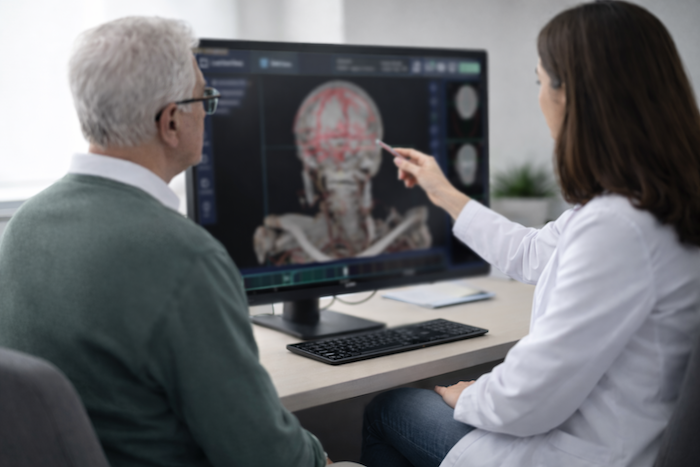
How to explain a CT scan to a patient in 3D
Start from the patient's own scan, so the conversation is about their anatomy rather than a textbook drawing.
The steps below use SpectoEDU Professional. SpectoEDU is educational software. It supports the conversation with the patient and is not for diagnosis or treatment planning.
- Load the CT as DICOM or NRRD files, or from your PACS.
- Rotate the 3D view to the region you want to discuss.
- Show it on a standard monitor, or on a glasses-free 3D monitor so the patient sees depth without glasses.
- Measure a structure to show its size.
- Switch to one of the five included models when you want to explain a general point rather than this case.
What research says
In a pilot study at University Hospital Basel (Westarp et al., Acta Neurochirurgica, 2024), 10 patients saw a 3D model of their own pathology in VR before neurosurgery. They rated their understanding of the condition and the procedure positively.
The study had no control group, used a VR headset rather than a 3D monitor, and did not test SpectoEDU.
Questions about patient education
Can I show a patient their own CT?
Yes, with SpectoEDU Professional. Load the scan as DICOM or NRRD files, or from your PACS. SpectoEDU Essentials works with the five included anatomical models.
Is SpectoEDU a medical device?
No. SpectoEDU is educational software for teaching and for explaining cases to patients. It is not for diagnosis or treatment planning. For clinical review and surgical planning, Specto offers SpectoMED, which is FDA-cleared and CE marked.
Does the patient need 3D glasses?
Not with a glasses-free (autostereoscopic) 3D monitor, which needs SpectoEDU Professional on Windows. Passive 3D monitors need glasses. A standard monitor shows the 3D view without depth.
More on SpectoEDU
SpectoEDU
Educational software for teaching anatomy and explaining cases to patients, on a 3D monitor, in VR or on a standard monitor.
Supported hardware
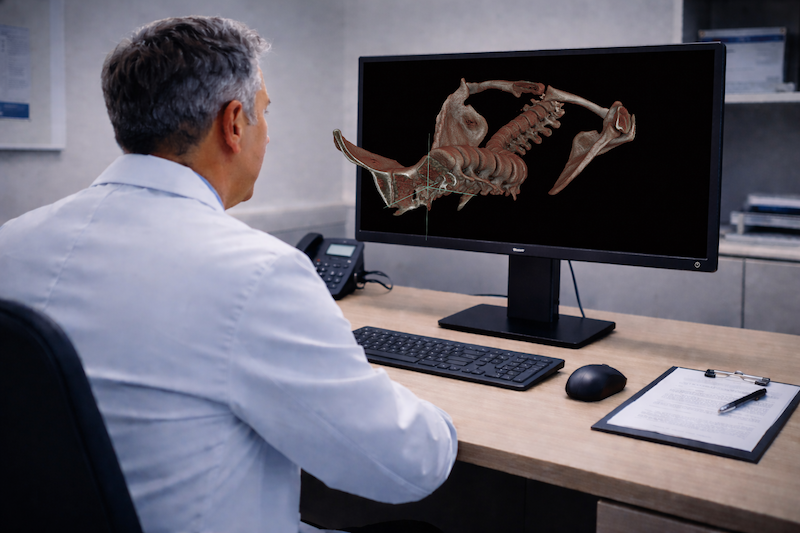
The glasses-free 3D monitors and the computer you need for a consultation room.
Medical training
Multi-user VR sessions for teaching anatomy to a class or a team.
Request a patient-education demo
We can show SpectoEDU on a glasses-free 3D monitor with a de-identified CT.